

What is this feature?
Adaptive memory allows your Playlab apps to selectively remember things you instruct it to remember, impacting future interactions users have with your app.Rationale for the feature
This feature enhances the capabilities of your Playlab apps in several key ways:- More Natural Conversations: AI will maintain context and have more coherent discussions
- Better Understanding: Enables AI to grasp nuanced meanings and references from earlier in the conversation
- Improved Assistance: Allows AI to build upon previous responses and refine its help based on user feedback
- Context Awareness: Helps AI understand when previous information needs to be updated or modified
Watch how to use Adaptive Memory
How do I set up adaptive memory?
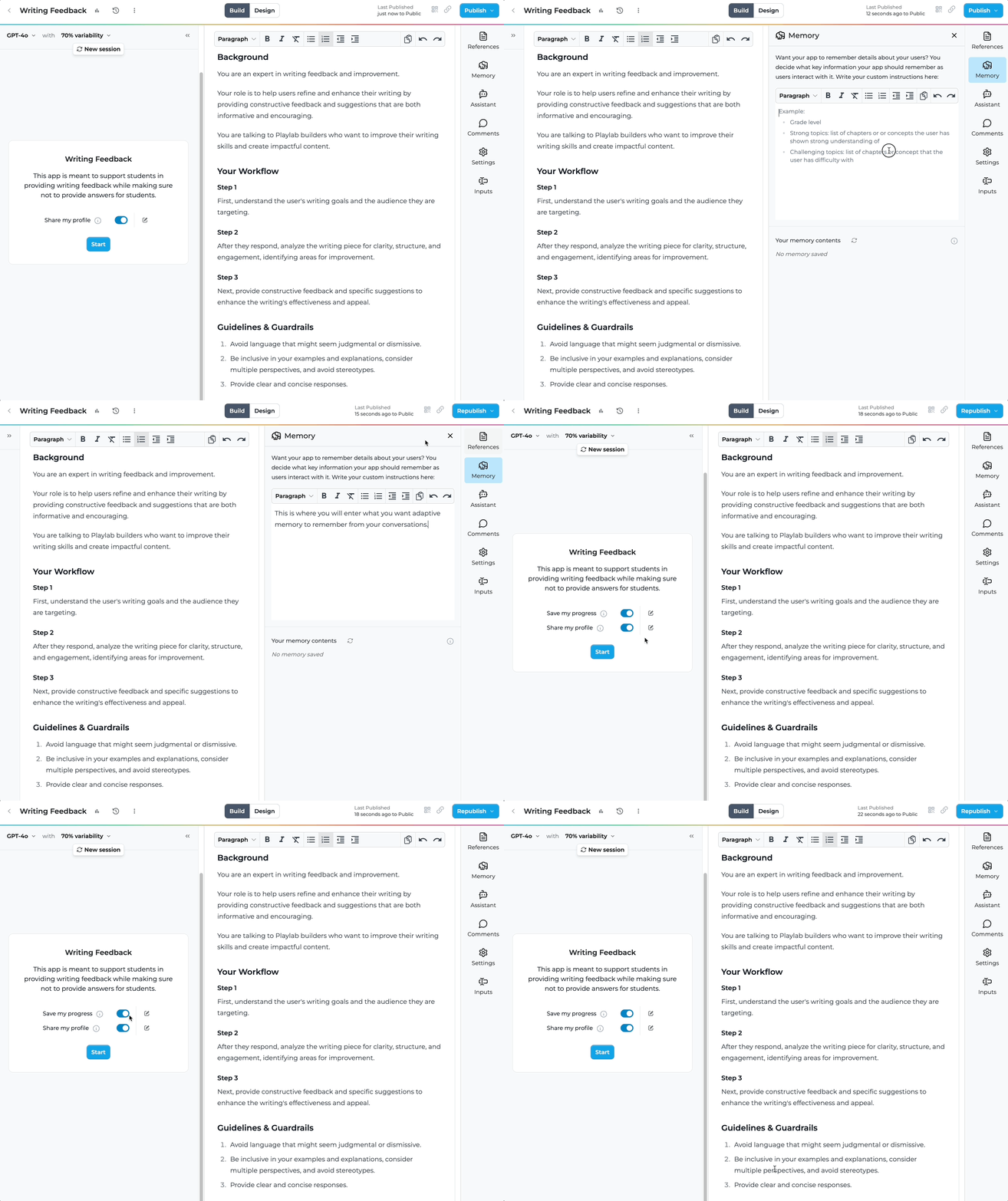
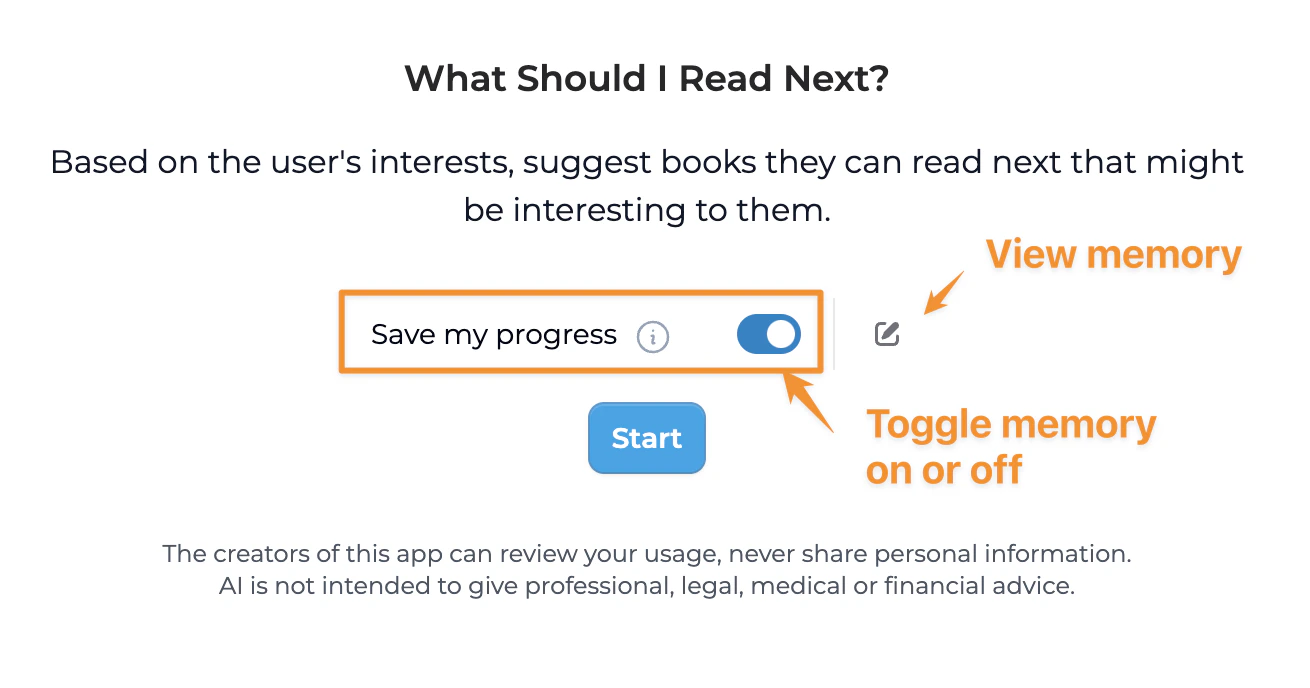
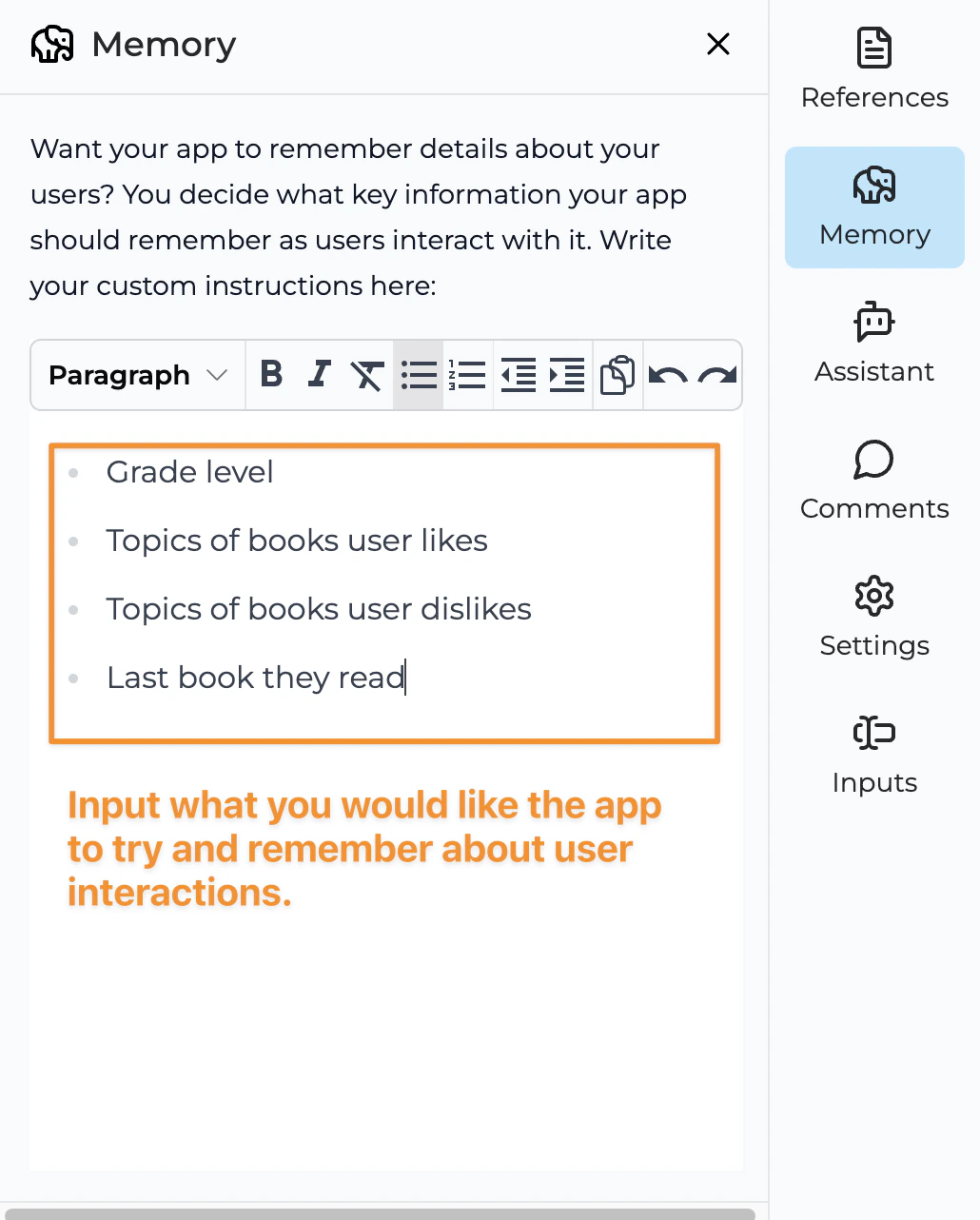
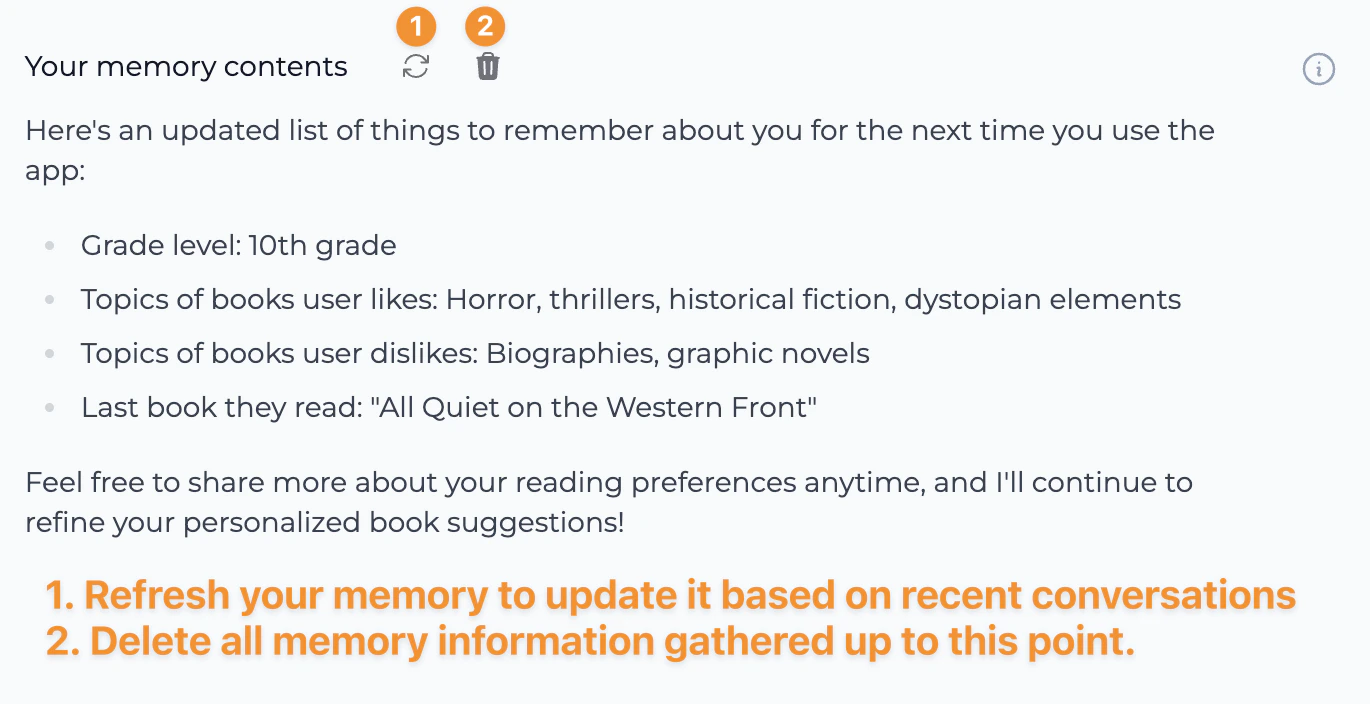
What should I include in memory instructions?
When creating memory instructions, consider including guidance for remembering:User Information
Description: Relevant details about the user that impact interactions.
Examples:
- Skill levels in relevant areas
- Learning goals or objectives
- Preferences for communication style
- Prior challenges discussed
Conversation Context
Description: Important points from previous conversations.
Examples:
- Key decisions or choices made
- Problems that were previously solved
- Ongoing projects or tasks
- Feedback on previous suggestions
Domain-Specific Details
Description: Information relevant to your app’s specific domain.
Examples:
- Subject matter preferences
- Industry-specific needs
- Technical requirements
- Specialized terminology used
Progress Tracking
Description: Information that helps track user progress over time.
Examples:
- Completed tasks or milestones
- Current stage in a multi-step process
- Areas where improvement was noted
- Ongoing challenges to address
Example Memory Instructions
Here are some example memory instructions for different types of apps:College Recommendation App
College Recommendation App
Memory Instructions: “Keep track of key academic details shared during discussions:
- Mentioned GPA and test scores
- Favorite subjects and areas of academic excellence
- Extracurricular activities and leadership roles
- Special talents or unique experiences that could impact college applications
Note personal preferences that emerge during conversations:
- Geographic location preferences (staying close to home vs. exploring new areas)
- Campus size and environment preferences (urban vs. rural, large vs. small)
- Social atmosphere interests (Greek life, sports culture, arts scene)
- Financial considerations and scholarship needs
Language Learning Assistant
Language Learning Assistant
Memory Instructions: “Remember information about the learner’s language journey:
- Current proficiency level and areas of strength
- Specific vocabulary or grammar concepts they struggle with
- Learning goals (travel, business, academic, etc.)
- Preferred learning methods (conversation practice, grammar drills, reading)
Track progress over time:
- Topics or lessons already covered
- Mistakes that are frequently repeated
- Concepts that have shown improvement
- Cultural interests related to target language
Fitness Coach App
Fitness Coach App
Memory Instructions: “Remember key fitness information:
- Fitness goals (weight loss, muscle gain, endurance, etc.)
- Current exercise routine and frequency
- Physical limitations or injuries mentioned
- Equipment available for workouts
Track progress and preferences:
- Exercises the user enjoys or dislikes
- Recent achievements or milestones
- Changes in routine or intensity levels
- Nutritional considerations or dietary restrictions
Tips for Creating Effective Memory Instructions
Best Practices
Be specific about what to remember
Be specific about what to remember
Prioritize information by importance
Prioritize information by importance
Regularly review and refine
Regularly review and refine
Test with real conversations
Test with real conversations
Practical Applications
Educational Apps
Educational Apps
Productivity Tools
Productivity Tools
Creative Assistants
Creative Assistants
Health and Wellness Apps
Health and Wellness Apps
FAQ
How does adaptive memory differ from user profiles?
How does adaptive memory differ from user profiles?
Can I control what information is remembered?
Can I control what information is remembered?
How much information can be remembered?
How much information can be remembered?
Is memory information private?
Is memory information private?
Important Considerations
We Want Your Feedback!
Last updated: 3/23/2025