

What is this feature?
The Workspace Reference Library allows you to create and manage a central collection of references that can be shared across multiple apps in your workspace, eliminating the need to upload the same references for each app individually.Rationale for the feature
When building multiple Playlab apps, you often need to use the same reference materials across different apps. The Workspace Reference Library streamlines this process by allowing you to manage a central collection of references that can be easily attached to any app in your workspace, saving time and ensuring consistency across your projects.Watch How to Leverage Workspace References
Where can I access the feature?

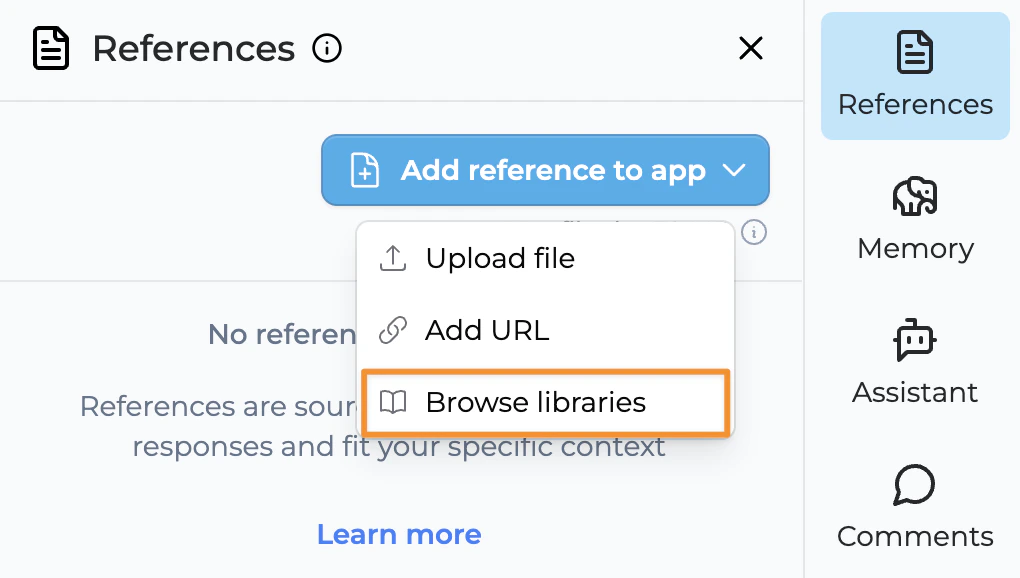
How to use Workspace References
Upload references to your workspace library
Click “Upload library references” to add references to your workspace reference library.
Add references to your app
Click “Add to App” to attach relevant workspace references to your specific Playlab app.
Verify references are attached
Once added, you will see a green check mark indicator, meaning the reference is now attached to your Playlab app.

Tips for Using Workspace References
FAQ
What is the benefit of attaching references from the Workspace Reference Library?
What is the benefit of attaching references from the Workspace Reference Library?
Workspace references allow you to maintain a single source of truth across multiple apps. They’re easily accessible to all team members with access to the workspace, ensuring consistency and reducing duplication of effort.
Can I download and edit the references in my workspace library?
Can I download and edit the references in my workspace library?
You can upload and manage custom references in your workspace library. These references can be updated as needed, and the changes will be reflected in all apps using those references.
How many references can you add to your workspace library?
How many references can you add to your workspace library?
You can add as many references as you need to your workspace reference library. However, for optimal performance, we recommend being selective about which references you attach to each individual app.
Can multiple team members access the same workspace references?
Can multiple team members access the same workspace references?
Yes, anyone with access to your workspace can use the references in the workspace library, making collaboration more efficient.
When somebody remixes an app that uses workspace references, does it automatically include the references?
When somebody remixes an app that uses workspace references, does it automatically include the references?
Yes, remixing an app that uses workspace references maintains the connection to those references if the remix is in the same workspace.
What happens when somebody remixes an app into a different workspace?
What happens when somebody remixes an app into a different workspace?
If you’re remixing into a different workspace, a copy of the reference is made and added to the remixed app to ensure it continues to function correctly.
What happens when I delete a reference from my workspace reference library?
What happens when I delete a reference from my workspace reference library?
You will see a confirmation message showing how many apps are currently using that reference. If you confirm, the reference will be removed from all apps and no longer appear in the reference library for you or anyone who has access to the same workspace.
Are there size limits for references in the workspace library?
Are there size limits for references in the workspace library?
While there are practical size limits for individual files, the workspace library is designed to accommodate a wide range of reference materials. For very large files, consider breaking them into more manageable components.
Can I organize references into categories in my workspace library?
Can I organize references into categories in my workspace library?
Yes, you can organize your workspace references using a logical structure that makes sense for your team and projects, making it easier to find and manage references.
We Want Your Feedback!
Have you tried using the Workspace Reference Library feature? We’d love to hear about your experience!Contact us at support@playlab.ai
Last updated: 3/21/2025