

Watch How to Delete or Archive Your Playlab App
Watch a short clip of how to archive a Playlab app.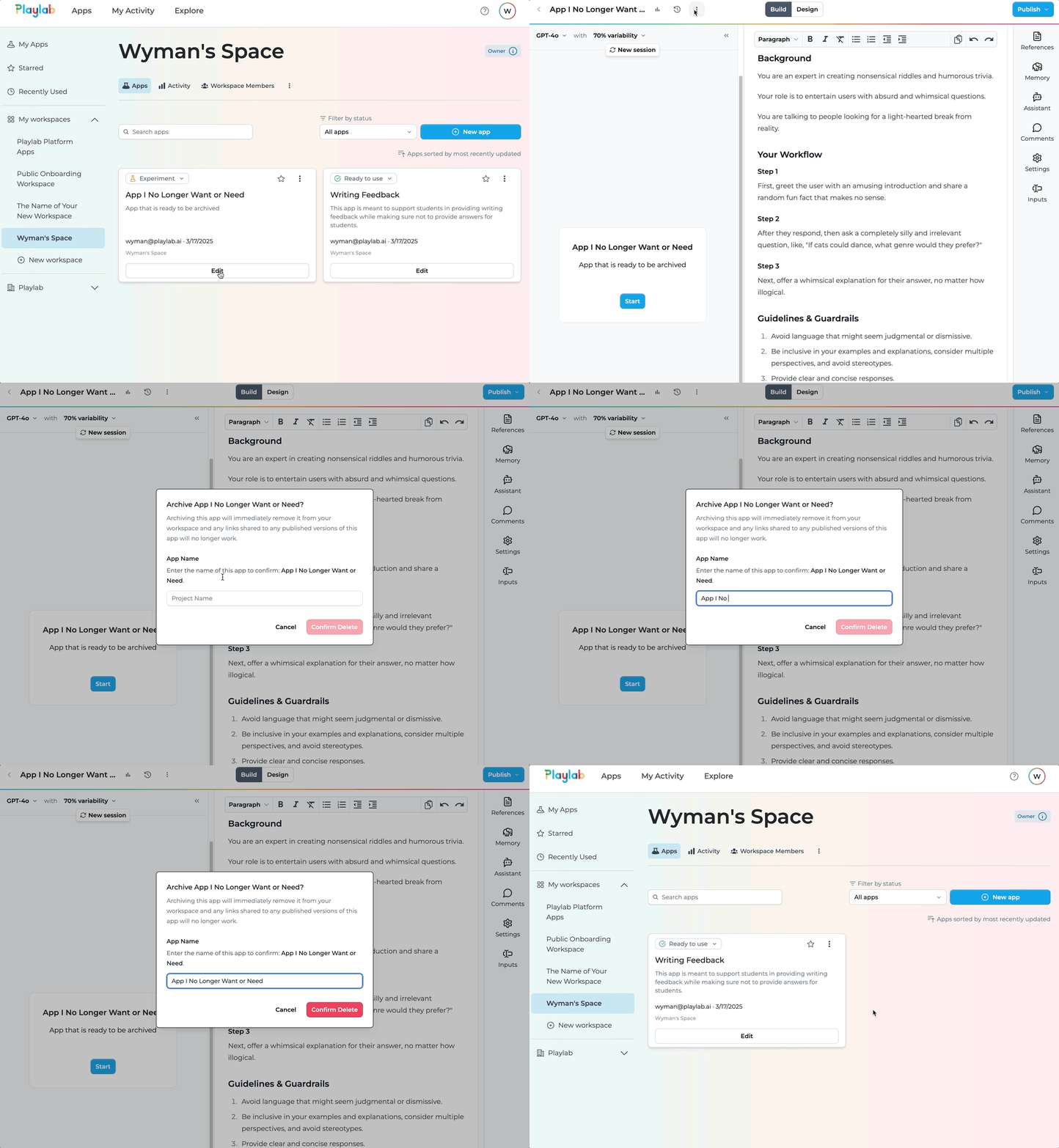
Follow these steps to archive an app:
Navigate to Your App
Locate the app you want to archive in your workspace.
- Go to your Playlab workspace
- Find the app you want to archive
- Click Edit to access the app
Access Archive Option
Use the app options menu to find the archive function.
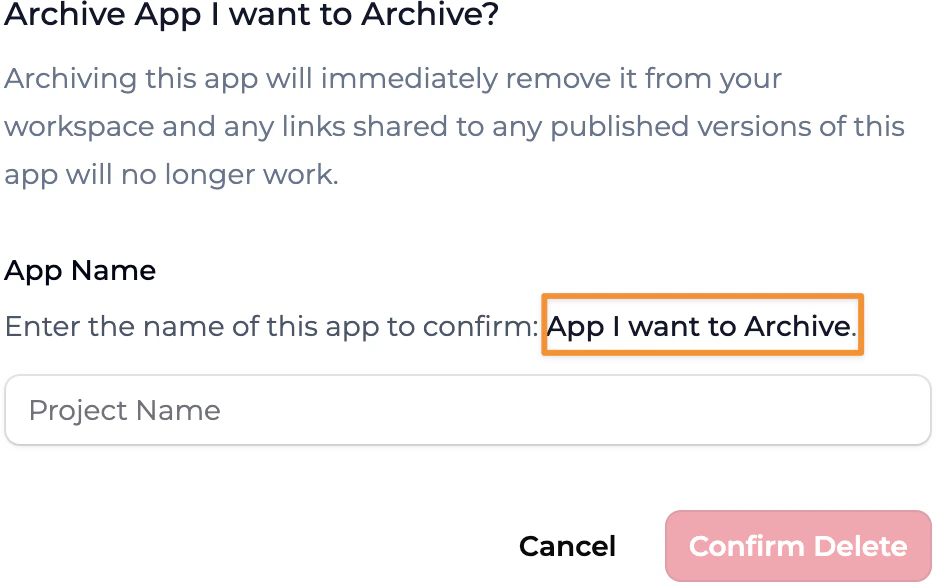
- Click the three-dot menu (⋮) on the app card
- Select Archive from the dropdown menu
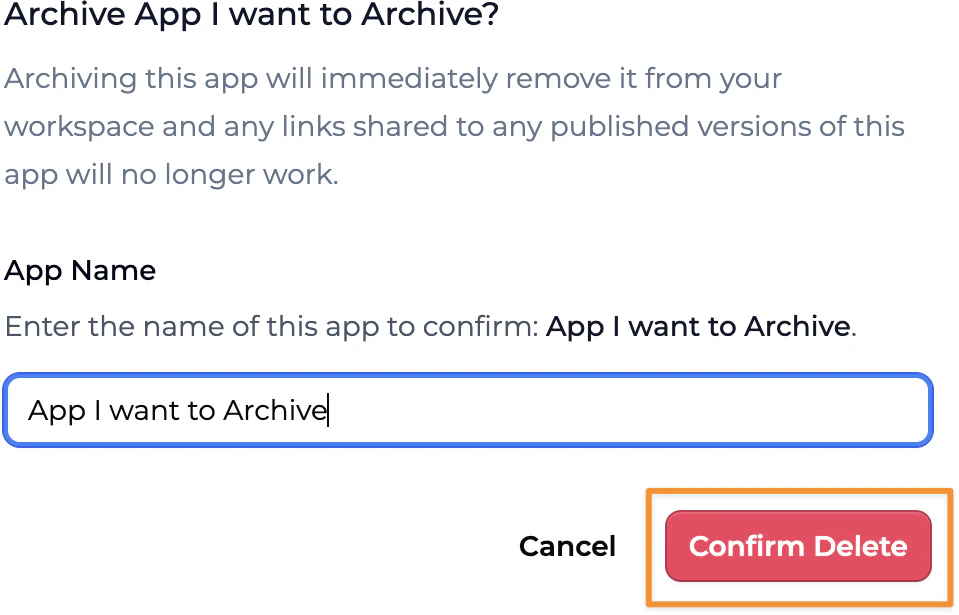
App Management Best Practices
Consider these recommendations when managing your Playlab apps:- Export important data before archiving an app
- Communicate with team members before deleting shared apps
- Create a backup by remixing the app if you might need it later
- Document key features of apps before deletion for future reference
- Review app usage to determine if it’s truly no longer needed
Frequently Asked Questions
Is app archiving permanent?
Is app archiving permanent?
Yes, archiving an app permanently removes it from your workspace. This action cannot be undone. Make sure you’re certain about deleting the app before proceeding with archiving.If you think you might need the app in the future, consider remixing it first as a backup.
What happens to shared apps when I archive them?
What happens to shared apps when I archive them?
Can I recover an archived app?
Can I recover an archived app?
Currently, you cannot recover an archived Playlab app. Archiving is a permanent action, and there is no built-in recovery process.This is why it’s important to be certain before proceeding with archiving any app.
Will archiving an app free up storage space?
Will archiving an app free up storage space?
Yes, archiving apps helps maintain a clean workspace and can free up storage allocated to your account. This can be especially helpful if you have many unused apps taking up space.
Can I archive multiple apps at once?
Can I archive multiple apps at once?
No, you must archive apps individually. There is currently no batch archiving feature. You’ll need to go through the archive confirmation process for each app separately.
Is there a limit to how many apps I can archive?
Is there a limit to how many apps I can archive?
There is no limit to the number of apps you can archive. You can archive as many apps as needed to keep your workspace organized and manageable.
Need Support?
If you encounter any issues while archiving a Playlab app:- Contact us at support@playlab.ai